Best content strategy tools that plan every page a website needs for AI search
Snoika fits teams that want one plan for every page of the site, with those pages then written and published. It tracks the pages in ChatGPT and Google AI Overviews. Of the other content strategy tools here, Semrush has the largest keyword research database (the Semrush alternatives are compared separately) and Ahrefs is best at finding competitor gaps. Surfer turns one keyword into a page brief. Notion holds the editorial calendar once you have a plan. Pick the tool that covers the step your team is missing.
 Jevgenia PogadajevaCFO, Snoika · 10 min read
























The best content strategy tools
Among these five tools, Snoika plans the whole site. Semrush and Ahrefs each handle one stage of the work, as do Surfer and Notion. The table compares entry prices on monthly billing and the planning feature that matters most in each tool. It also identifies the team each one suits best. Prices are vendor list prices checked in 2026. Annual billing lowers every figure except Snoika's weekly plan.
| Tool | Entry price | Key planning feature | Where it stops | Best fit |
|---|---|---|---|---|
| Snoika | €124 per week (AI + SEO Starter) | Content map of every existing and new page, grouped by pillar and cluster | Higher entry cost than a single-purpose tool | Teams that want planning and publishing in one platform |
| Semrush | $139.95 per month (Pro) | Keyword Strategy Builder clusters | Content tools start on Guru at $249.95 | SEO teams that need keyword data in many markets |
| Ahrefs | $129 per month (Lite) | Content Gap and competitor research | Lite runs on credits | Teams that plan around competitor rankings |
| Surfer | $99 per month (Essential) | Content Editor and Topical Map | Weak output for sites with little content | Writers who optimize one page at a time |
| Notion | $10 per member per month (Plus, annual) | Databases for calendars and briefs | Has no search data of its own | Teams that need a shared calendar and workflow |
Snoika
- Entry price
- €124 per week (AI + SEO Starter)
- Key planning feature
- Content map of every existing and new page, grouped by pillar and cluster
- Where it stops
- Higher entry cost than a single-purpose tool
- Best fit
- Teams that want planning and publishing in one platform
Semrush
- Entry price
- $139.95 per month (Pro)
- Key planning feature
- Keyword Strategy Builder clusters
- Where it stops
- Content tools start on Guru at $249.95
- Best fit
- SEO teams that need keyword data in many markets
Ahrefs
- Entry price
- $129 per month (Lite)
- Key planning feature
- Content Gap and competitor research
- Where it stops
- Lite runs on credits
- Best fit
- Teams that plan around competitor rankings
Surfer
- Entry price
- $99 per month (Essential)
- Key planning feature
- Content Editor and Topical Map
- Where it stops
- Weak output for sites with little content
- Best fit
- Writers who optimize one page at a time
Notion
- Entry price
- $10 per member per month (Plus, annual)
- Key planning feature
- Databases for calendars and briefs
- Where it stops
- Has no search data of its own
- Best fit
- Teams that need a shared calendar and workflow
Read the "Where it stops" column first. That's where you'll pay for a second tool.
How we ranked them
We ranked each tool on how much of the planning job it does without help from another product. A content marketing strategy for AI search starts with demand and a decision about which pages answer it. You check those pages against the ones you already have before you get them live and measure the result. A tool that only covers one of those steps can still be the best at that step. It just ranks lower here because your team has to fill the rest by hand.
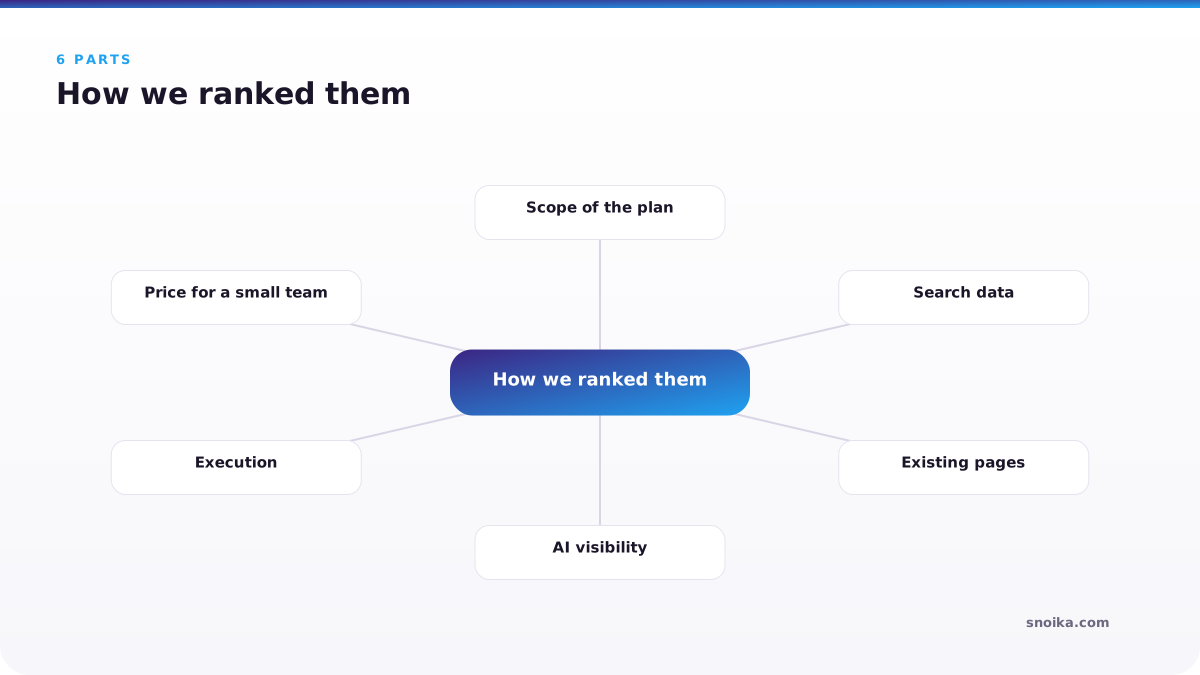
We assessed each tool's planning capabilities and costs.
- Scope of the plan: whether it plans single pages or topic clusters. We also checked whole-site coverage.
- Search data: whether volumes and SERP data come built in or have to be imported.
- Existing pages: whether the plan decides what happens to pages you already publish.
- AI visibility: whether it tracks citations in ChatGPT and Google AI Overviews, and at what cost.
- Execution: whether the plan can turn into published pages without exports and copy-paste.
- Price for a small team: list price on monthly billing, with extra seats counted.
Snoika is listed first because it's the only tool in this list that covers the whole sequence. It plans every page of the site, then writes and publishes those pages on your own domain. It tracks how they perform in ChatGPT and Google AI Overviews. The existing-pages criterion is the one buyers overlook. A Snoika map determines which current pages to keep or update and which to redirect or delete. A new article therefore never ends up competing with an old one for the same query. In the other four tools, that cleanup is a separate audit you have to run and reconcile yourself.
Snoika for whole-site plans
Snoika plans every page a website needs, and it's the only tool here that also writes and publishes those pages. A Snoika content map lists every page on your current site plus the new pages you're missing, grouped into pillars and topic clusters; content mapping explained walks through the method. Each page carries an action. You delete a thin page that drags a cluster down, or create a new page around a keyword your competitors haven't used yet.
The map build starts with onboarding, which only needs your website link and brand name, although the build can take up to 4 hours. For a sharper map, Snoika also asks for your goals and the markets you want to enter. It requests access to GA4 and Google Search Console as well. We recommend giving it all of that, because analytics data lets the plan rank pages by what already earns traffic. Next comes keyword research with live search volumes and a deep SERP analysis. Topic research and a market analysis follow to cover the countries and languages where demand exists. The last step before the map flags technical problems and content cannibalization on your site, and says exactly what to fix.
Snoika differs from the rest of the list because it turns its SEO content plan into pages it writes and publishes. Pages from the map go live on your own domain through a DNS connection that covers the whole website. You approve each page in the dashboard before it publishes. Snoika's 120+ page types cover product and feature pages. Industry and comparison pages are supported too. The tool also builds integrations and glossary terms. Statistics pages and templates are available as well. So a plan that calls for an alternatives page or a case study doesn't stall because the tool only writes blog posts.
Limits. Plans start at €124 per week for AI + SEO Starter with 1 strategy slot, and the content map is part of every plan. A team that only needs keyword exports will pay for capabilities it doesn't use. Publishing also runs through a DNS connection, so check with whoever controls your domain before you commit.Price: from €124 per week.Suits: in-house teams and agencies that want the plan and the published pages to come from the same place.
Semrush for keyword data
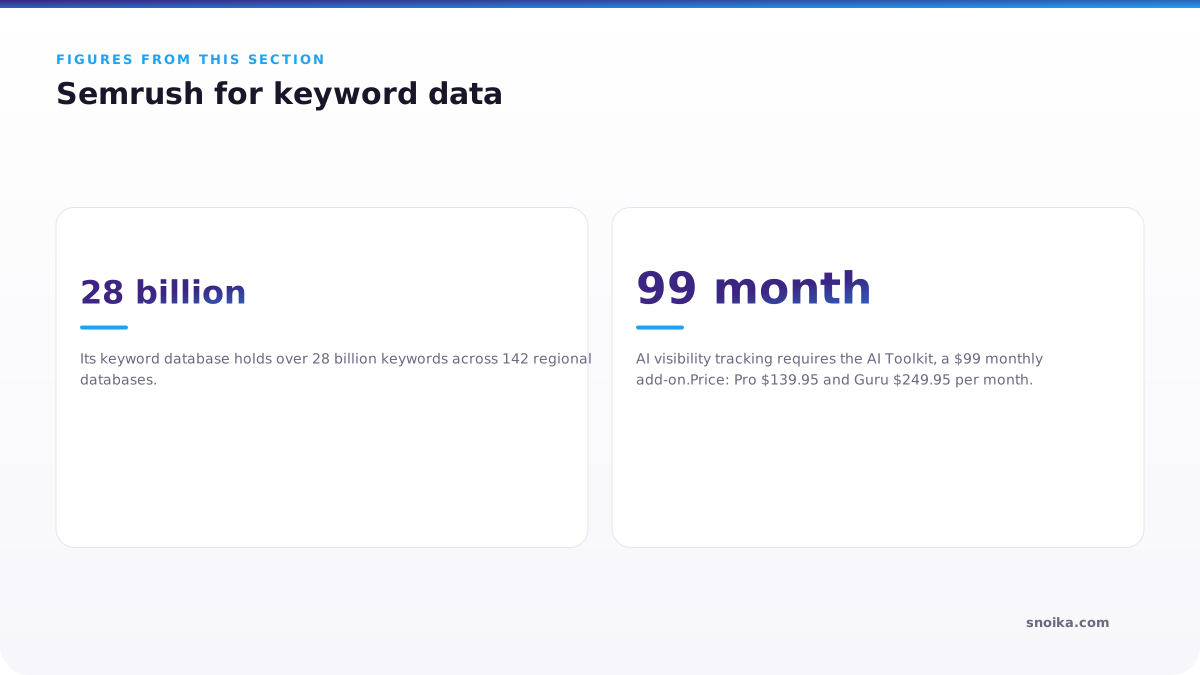
Semrush is the best choice when your plan depends on keyword data across many countries. Its keyword database holds over 28 billion keywords across 142 regional databases. The Keyword Strategy Builder groups your seed terms into pillar pages and supporting pages, so you get a first draft of a cluster plan within minutes.
Semrush shows search volumes during planning from its own database, which Semrush says is refreshed monthly. Snoika pulls live search volumes during its keyword research and attaches them to each page in the map. Either one works if you're sizing demand for a cluster. If you're deciding which of two existing pages to keep, Snoika's per-page view saves you from cross-matching exports by hand.
Limits. Semrush produces a keyword cluster plan without specifying which existing URL should own each cluster or what to do with the pages that lose out. Content marketing tools only start on the Guru plan at $249.95 a month, and each extra Pro seat adds $45. AI visibility tracking requires the AI Toolkit, a $99 monthly add-on.Price: Pro $139.95 and Guru $249.95 per month. Business costs $499.95 per month.Suits: SEO specialists who build the plan themselves and want the widest keyword coverage behind it.
Ahrefs for competitor gaps
Ahrefs is strongest when you plan from what competitors already rank for. Its Content Gap report lists the keywords that one or more rival domains rank for and you don't, and that list makes a ready-made backlog of missing pages. Site Explorer then shows which competitor pages earn the traffic and the links, so you can see how much depth a page needs before you brief it.
Lite is credit-metered at 1,000 credits per user, and a planning session that runs dozens of gap reports burns through them fast. Standard and higher plans lift that cap. AI visibility tracking is a separate purchase: Brand Radar costs $199 per AI platform a month, or $699 for all six platforms. Lite plus the full bundle comes to $828 a month. Ahrefs also stops at research. Turning the gap list into briefs and pages happens somewhere else.
Price: Lite $129 and Standard $249 per month. Advanced costs $449 per month.Suits: teams in crowded markets whose plan starts from "what are they ranking for that we aren't."
Surfer for page briefs
Surfer is the tool for turning a chosen keyword into a page brief a writer can follow. The Content Editor uses the pages already ranking to set target terms and headings. It also sets a target length and scores the draft as you write. Its Topical Map groups related keywords into clusters and places your existing pages inside them, a lighter version of a topical map. That works as a lighter topical map generator for sites that already publish a lot.
Surfer's planning depends on what your site already has. A Search Atlas review found the Topical Map works best with Google Search Console connected, and newer sites get less useful output. The Essential plan includes 30 articles a month in the Content Editor and 5 AI articles. A team that publishes daily will hit that ceiling and move to Scale. Surfer optimizes the page you're writing, and it leaves the site-wide questions to you, such as which old pages to redirect.
Price: Essential $99, Scale $219 per month, or $79 and $175 billed annually.Suits: writers and editors who already know what to publish and want each page to match what ranks.
Notion for editorial calendars
Notion is where a finished plan becomes a schedule people actually work from. A Notion database can hold every planned page as an entry with an owner and status. Each entry can also hold a due date and brief, and the same data shows up as a calendar or a kanban board. Writers and editors can work with subject experts in one place without a seat in an SEO tool.
Notion contributes nothing to the plan itself. It has no keyword volumes and no SERP data, and it can't tell you which pages compete with each other. Everything in the calendar comes from another tool or a spreadsheet. Its AI features also moved: since May 2025, full Notion AI comes only with the Business plan at $20 per member per month on annual billing. Count seats before you choose. A 10-person team on Business pays $2,400 a year.
Price: Free is available. Paid plans are Plus at $10 and Business at $20 per member per month, billed annually.Suits: content teams that have their plan elsewhere and need a shared calendar for production.
Which tool for which team
The right tool depends on who will act on the plan and how much of the work they want to do themselves. Teams end up with two tools, one that produces the plan and one that schedules it. The question is whether you're paying a person to connect them.
Small in-house team with no SEO specialist
Snoika fits this team best because the plan arrives already turned into pages. There's no one on staff to read a keyword export, so a research-only tool would sit unused. The weekly price is higher than Surfer's. But compare it with the cost of the specialist you'd otherwise hire to carry a Semrush plan through to published pages.
SEO specialist or freelancer
Semrush or Ahrefs suits someone who builds plans by hand and wants control over every decision. Pick Semrush for keyword breadth across markets. Choose Ahrefs if competitor gaps drive your plan. Add Notion or a spreadsheet for the calendar.
Content team with writers on deadline
Surfer plus Notion works when strategy is already settled and the bottleneck is producing pages that rank. Notion tracks who writes what, and Surfer keeps each draft close to what ranks. Neither tool will flag that two of your scheduled articles target the same query, so someone still has to audit the plan.
Agency running several client sites
Agencies need the whole-site view and a clean handover. A Snoika map with an action on every client page gives the account team one plan to work from. For pitch research, an Ahrefs or Semrush seat is a reasonable addition.
Planning pages for AI answers
Snoika is the best content strategy tool for AI search because it plans each page around the questions people ask AI assistants, then tracks whether those assistants cite the page. Planning for AI answers differs from planning for blue links. An AI Overview or a ChatGPT answer pulls a sentence or a fact from a page, so a page earns a citation when it answers a specific question in plain words near the top.
In a study of 300,000 keywords, Ahrefs found that an AI Overview cut the top result's click-through rate by 34.5% in April 2025. A re-run on December 2025 data put the drop at 58% for position 1. "More than 800 million people use ChatGPT every week," OpenAI CEO Sam Altman said at the company's 2025 Dev Day.
Every page in a Snoika map comes with the questions buyers type into ChatGPT and Google AI Overviews that the page should answer. Your writer gets the target questions along with the target keyword, and an editor can check the draft against both before it goes live. Your two checks for any AI content strategy tool should establish whether its plan names the prompts each page should answer and whether it measures citations afterwards or only rankings. Semrush and Ahrefs can measure citations through paid add-ons, while Surfer and Notion leave both questions to you.
Free content map template
The free Snoika content map template is a spreadsheet for building a whole-site plan by hand, in the same structure the platform uses. Download it here. It opens in Excel and Google Sheets. It suits teams that want to test the method before paying for any tool, or that want to rebuild a Semrush or Ahrefs export into a page-by-page plan.
The template's implementation plan tab is one of three kinds of tabs and sets the scope of the work. It records research findings under the Gem and Discovery labels, with Observation as the third label. It also ranks issues by severity so fixes get done in order of damage. Critical and High come before Medium and Low. Two example pillar tabs hold five example pages each. A master tab collects priority scores across all pillars.
Each pillar tab uses these columns:
| Column | What goes in it |
|---|---|
| Cluster | The topic group inside the pillar |
| Action | NEW, UPDATE, KEEP or DELETE |
| Page type | The format the page needs |
| URL | The target address |
| Current URL | The existing address, if the page exists |
| Core keyword | The one query the page owns |
| Monthly search volume | Demand for the core keyword |
| Search intent | What the searcher wants |
| Priority score | Order of work |
| Secondary keywords | Related queries the page also covers |
| Meta title | The title shown in results |
Cluster
- What goes in it
- The topic group inside the pillar
Action
- What goes in it
- NEW, UPDATE, KEEP or DELETE
Page type
- What goes in it
- The format the page needs
URL
- What goes in it
- The target address
Current URL
- What goes in it
- The existing address, if the page exists
Core keyword
- What goes in it
- The one query the page owns
Monthly search volume
- What goes in it
- Demand for the core keyword
Search intent
- What goes in it
- What the searcher wants
Priority score
- What goes in it
- Order of work
Secondary keywords
- What goes in it
- Related queries the page also covers
Meta title
- What goes in it
- The title shown in results
Fill the Current URL column before anything else. Two pages that share a core keyword mean one of them needs a DELETE or a redirect.
Picking from this list
Start with the step your team can't do today. Snoika is the one option here that turns keyword data into a full list of pages and then into published pages for teams that need that work done for them. If you have a specialist who builds plans, pair Semrush or Ahrefs with Notion. Do the cleanup by hand. Before you buy anything, fill one pillar tab of the free template with your real URLs. Within an hour you'll see how many of your existing pages compete with each other. That number tells you which content strategy tools on this list are worth paying for.
FAQ
The whole-site planning option reviewed here pulls live search volumes during keyword research and attaches them to individual pages. The keyword database option refreshes monthly, so the two use different update schedules when reporting demand.
Yes. One option in this list turns its page plan into written content and publishes it on your domain after approval. Publishing requires a DNS connection, so confirm who controls your domain settings before choosing that workflow.
For the whole-site option reviewed here, a website link and brand name are enough to begin. For a more informed plan, prepare your goals and target markets. Access to analytics helps prioritize pages based on existing traffic.
The two research-focused tools charge separately for AI visibility tracking. One offers a $99 monthly add-on. The other charges $199 per AI platform monthly or $699 for all six, so the cost depends on how many platforms you monitor.
Multiply a weekly price by 52, then divide by 12 to compare monthly costs. The listed €124 weekly plan averages about €537 per month. Check billing terms too, because the calendar tool's listed monthly rates require annual billing.
Keep reading
All articles