Content map template with filled examples for SEO teams
This content map template is a free spreadsheet for SEO teams who plan a website page by page, the content mapping practice SEO teams use. Two pillar tabs each hold five filled example pages. A master tab ranks every page by priority score, and an implementation plan tab records scope and findings. Every page carries an action, a core keyword, a search intent and a meta title. The file opens in Excel and Google Sheets.
 Jevgenia PogadajevaCFO, Snoika · 4 min read

























Download the content map template
You can download the free content map template as an .xlsx file. There's no form to fill in first. The file is one .xlsx workbook, so save a copy and keep the original clean for your next project. Open each tab before you type anything, because the tabs feed into each other.
What the implementation plan tab holds
This tab sets the scope of the project and logs what your research turns up. Gem and Discovery are two of the three labels for findings; Observation is the third. You decide what each label means for your team. A Gem is an opportunity competitors haven't taken, and an Observation is context with no action attached. Issues are ranked Critical or High at the top of the scale, with Medium and Low below them. This ranking helps the team fix the worst problems first.
What the pillar tabs hold
A pillar tab covers one broad topic. Pages that share a subtopic sit under the same cluster. The template ships with two example pillar tabs. Replace them with your own pillars and add a tab for each new one.
What the master tab does
The master tab gathers every page from every pillar and orders the pages by priority score. Your writers work from this one list.
What each column means
A content map template needs 11 columns on each pillar tab, one for every decision you make about a page. Together they plan every page a site needs to rank in Google and be cited by AI assistants. That covers pages you already have and pages you still need to create.
| Column | What to enter |
|---|---|
| Cluster | The subtopic the page belongs to inside the pillar |
| Action | NEW, UPDATE, KEEP or DELETE |
| Page type | The format the page takes, such as guide or glossary term |
| URL | The planned final address |
| Current URL | The live address, blank for NEW pages |
| Core keyword | The one query the page targets |
| Monthly search volume | Volume for the core keyword in your target market |
| Search intent | What the searcher wants from the page |
| Priority score | The number that sets the order of work |
| Secondary keywords | Close variants the same page should also rank for |
| Meta title | The title tag you plan to publish |
Cluster
- What to enter
- The subtopic the page belongs to inside the pillar
Action
- What to enter
- NEW, UPDATE, KEEP or DELETE
Page type
- What to enter
- The format the page takes, such as guide or glossary term
URL
- What to enter
- The planned final address
Current URL
- What to enter
- The live address, blank for NEW pages
Core keyword
- What to enter
- The one query the page targets
Monthly search volume
- What to enter
- Volume for the core keyword in your target market
Search intent
- What to enter
- What the searcher wants from the page
Priority score
- What to enter
- The number that sets the order of work
Secondary keywords
- What to enter
- Close variants the same page should also rank for
Meta title
- What to enter
- The title tag you plan to publish
The Action column matters most for an existing site. Mark thin pages DELETE, and mark NEW for keywords your competitors haven't covered.
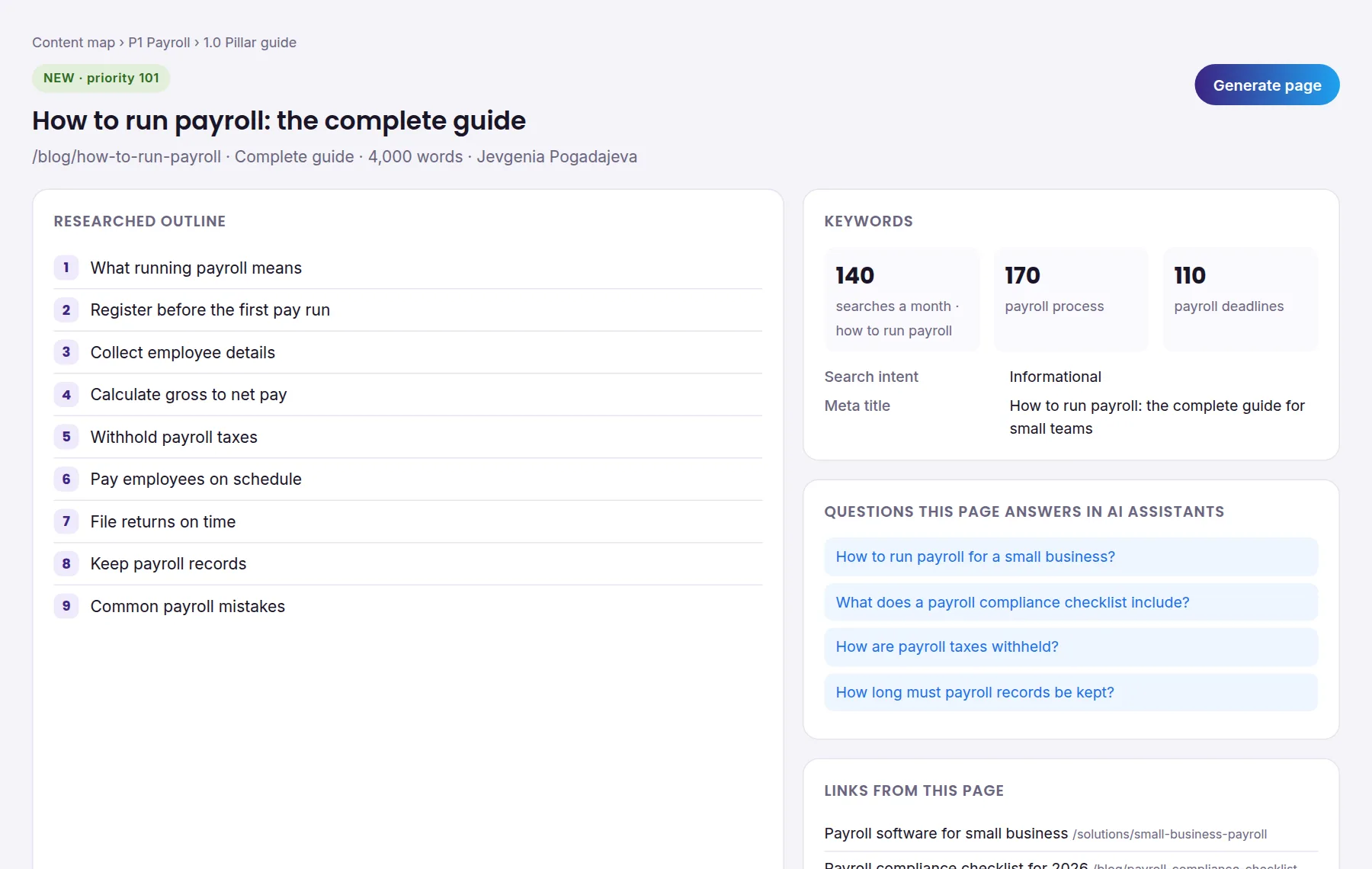
Core keyword per page
Each page gets one core keyword, and no two pages in the map share it. A single page can rank for far more than one query. An Ahrefs study of 3 million searches found that the average #1 page also ranks for nearly 1,000 other keywords. So you're choosing the main query here, and the variants go in Secondary keywords. Before you settle on a keyword, search it. If the top results answer a different question from the one your page answers, pick another keyword.
Page type per page
The page type follows what already ranks for the core keyword. Search "how to run payroll" and you'll mostly see long step-by-step guides. A query like "heel drop" mostly brings up short definitions. Fill this column after you've checked the results page. When the top results are a mix of formats, pick the format that answers the question fastest.
Search intent per page
Search intent records what the searcher wants to do once the page loads. Google's Search Quality Evaluator Guidelines use Know and Do intents to classify queries. The other categories are Website and Visit-in-person. Most SEO teams map these to informational and commercial intents. They also use transactional and navigational labels. Use whichever labels your team already uses. Once you've set the intent, add the questions buyers type into ChatGPT and Google AI Overviews that the page needs to answer. Every page in the map carries those questions, so the writer knows what an AI answer will quote.
Priority score column
The priority score sets the order in which you build pages. Start from search volume and business value, then lower the score when the work is heavy. A small UPDATE to a page that already ranks beats a NEW page with twice the volume. Keep the same scale on every pillar tab, or the ranking on the master tab won't mean anything.
Filled B2B example
The B2B example is a made-up payroll software company with one pillar called "Payroll". Its example pages use live US search volumes, which you'll find in the file. The table maps four of its pages.
| Page type | Core keyword | Search intent |
|---|---|---|
| Complete guide | how to run payroll | Informational |
| Checklist | payroll compliance checklist | Informational |
| Glossary term | payroll tax | Informational |
| Solution page | payroll software for small business | Commercial |
Complete guide
- Core keyword
- how to run payroll
- Search intent
- Informational
Checklist
- Core keyword
- payroll compliance checklist
- Search intent
- Informational
Glossary term
- Core keyword
- payroll tax
- Search intent
- Informational
Solution page
- Core keyword
- payroll software for small business
- Search intent
- Commercial
Three informational pages bring in readers who are still learning. The solution page is where buyers compare options. The informational pages link to it.
Filled ecommerce example
The ecommerce example is a running-shoe store with the pillar "Choosing running shoes". It has five pages:
| Page type | Core keyword | Search intent |
|---|---|---|
| Buying guide | best running shoes for flat feet | Commercial |
| How-to | how to choose running shoes | Informational |
| Comparison | trail vs road running shoes | Commercial |
| Glossary term | heel drop | Informational |
| Size guide | running shoe size guide | Transactional |
Buying guide
- Core keyword
- best running shoes for flat feet
- Search intent
- Commercial
How-to
- Core keyword
- how to choose running shoes
- Search intent
- Informational
Comparison
- Core keyword
- trail vs road running shoes
- Search intent
- Commercial
Glossary term
- Core keyword
- heel drop
- Search intent
- Informational
Size guide
- Core keyword
- running shoe size guide
- Search intent
- Transactional
A store pillar sits closer to the purchase than the B2B one does. Even the glossary term on heel drop helps a shopper read a product spec.
Keyword mapping template section
In the template's three side-by-side keyword mapping columns, Monthly search volume sits between Core keyword and Secondary keywords. Secondary keywords are variants that bring up the same results as the core keyword, such as "how to do payroll" for "how to run payroll". If a variant brings up different results, it needs its own page. When the column is complete, filter the whole map for duplicates. A phrase that shows up for 2 pages means those 2 pages will compete with each other. Then write the meta title around the core keyword.
Template in Excel or Sheets
The template works the same in Excel and Google Sheets. In Sheets, open the .xlsx after you upload it to Google Drive, or import it into a new sheet. Sheets is easier for writers and editors who work on the map at once, while Excel is better for large maps you filter offline. After you import the file, check that the master tab still sorts by priority score.
Using this template
Start with your current site. Paste every live URL into the Current URL column and give each one an action before you add a single NEW page. That inventory shows you which keywords you already target and which thin pages are getting in the way. A new page planned without it can end up competing with a page you forgot you had. Once your existing pages are mapped, the gaps in each pillar show up on their own, and you can fill the rest of the content map template from what's missing.
Keep reading
All articles