
WordPress SEO with Snoika
Snoika publishes pages built for search engines and AI assistants on your WordPress domain. A DNS connection sends one path on your domain to pages Snoika hosts, and the rest of your site carries on as it is. If WordPress SEO for your site means more pages and more citations in AI answers, start with the free AI visibility audit.
- Matching templates
- Scheduled publishing
- Lead tracking
Trusted by

























Snoika pages for WordPress
Snoika creates every kind of page and publishes them on the WordPress domain you already own. Blog posts and landing pages are both supported. Pages can go live through a DNS connection or a CMS integration. Custom integrations are also supported. The DNS route is the one this page covers.
Matching templates
Snoika sets up page templates that match your site, so new pages look like the rest of it.
Scheduled publishing
You can schedule finished pages. When a topic needs no review, you can also schedule generation with automatic publishing.
Lead tracking
Snoika configures Google Analytics 4 (GA4) and Google Tag Manager events, so each page's leads show up in reports you already read.
Approval step
You review and approve every page in the dashboard before it goes live.
How DNS routing replaces plugins
DNS routing does at the network edge what a plugin would otherwise do inside WordPress. A reverse-proxy layer at your CDN (content delivery network) or DNS sends one agreed path on your domain to the pages Snoika hosts. Every other request still goes to WordPress. So yes, a CDN can run a blog under a path on your WordPress domain, and your domain keeps all the SEO value. We agree the public path with you early, because it becomes part of every page URL and changing it later means redirects.
Why skip the plugin
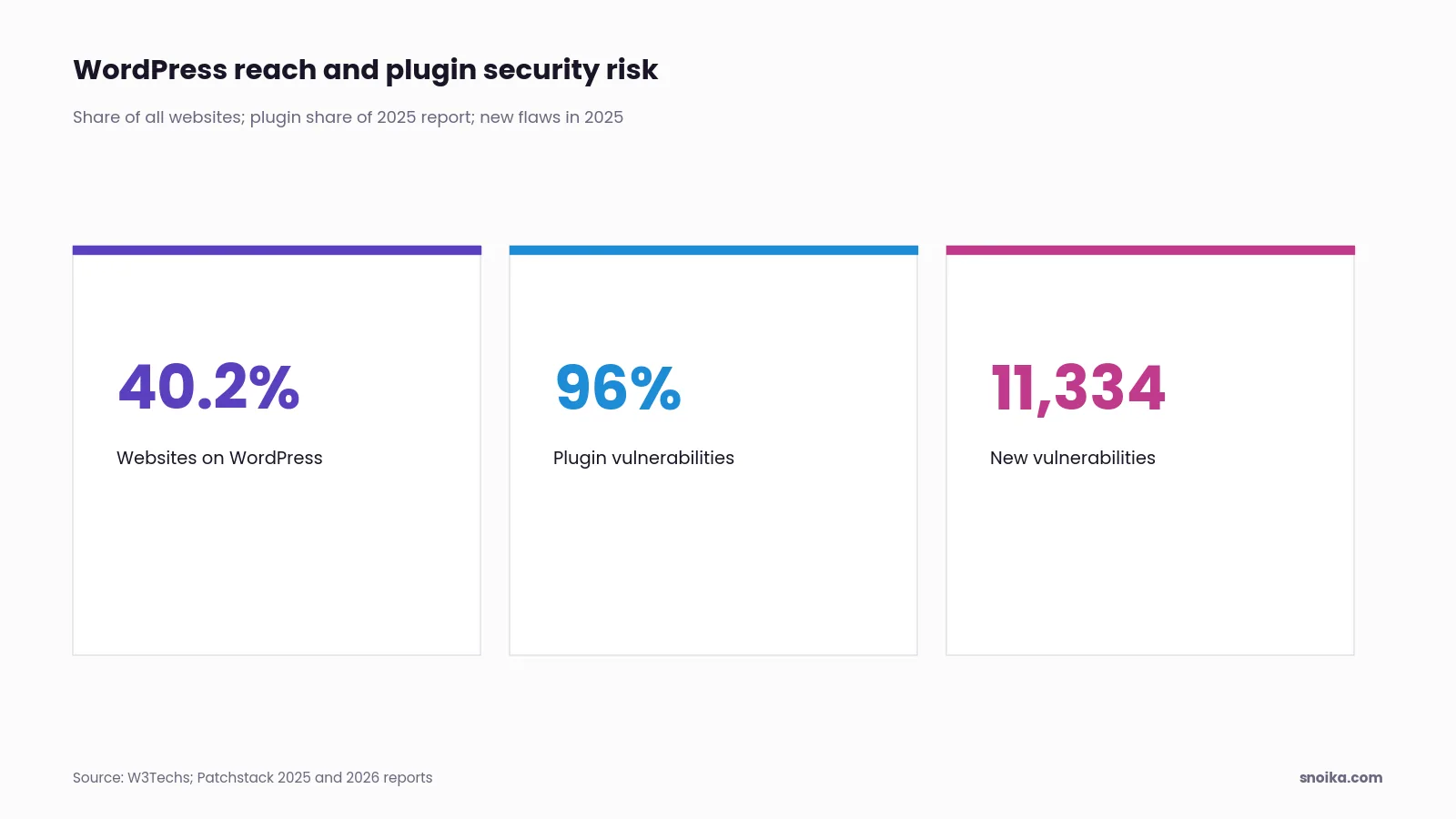
WordPress runs 40.2% of all websites, according to W3Techs, which makes its plugins a large target. Patchstack's 2025 security report found 96% of vulnerabilities in plugins. Its 2026 edition counted 11,334 new vulnerabilities across the WordPress ecosystem in 2025. Edge routing adds no code to your site or hosting, so your team has nothing new to patch.
Which CDNs are supported
- Cloudflare. A Worker on two routes with the proxy enabled. It's the most common option, and you can set it up yourself with Snoika's guide.
- Fastly. Snoika's team configures it, and you point DNS at Fastly.
- Google Cloud. Load Balancer with Cloud CDN.
- AWS CloudFront. Runs with Lambda@Edge.
- Nginx. A reverse proxy in front of your site.
For other CDNs, Snoika builds a tailored setup on request. Pages are served over HTTPS on your domain. Who controls your DNS and which CDN sits in front of your site decides who handles setup.
AI-ready content from day one
To add an AI-optimized blog to WordPress without plugins, you route one path to pages that were planned for AI answers before anyone wrote them. Snoika starts with a researched content map, so each page targets a question your buyers put to Google or ChatGPT. Automated workflows draft the pages, and a human review layer checks them. Content is written in 135+ languages and regional variants. When you review a page, check that it answers its question in the first lines, because answer engines quote short, direct passages.
Works beside existing SEO plugins
Snoika pages run independently beside your WordPress site and its SEO plugins because the CDN serves them before a request ever reaches WordPress. Your plugin keeps managing titles and sitemaps for your WordPress pages, while Snoika pages carry their own metadata. Once the first pages go live, check in Google Search Console that the new path is being crawled and indexed.
WordPress schema without extra setup
Schema markup comes built into every Snoika page, so you don't configure a WordPress schema plugin for it. Schema is structured data that tells search engines and AI systems what a page contains. Each page also includes hreflang tags for its language versions, and internal links to related pages. To check the markup, run any published page through Google's Rich Results Test.
No WordPress login ever needed
You can publish SEO content without touching WordPress admin because Snoika pages never pass through it. Nobody needs an admin account or a user role, and your WordPress setup stays exactly as your team left it. Access is limited even at the start:
Short form
The brand fills in a brief form for the free AI visibility audit, which needs no access to any client system.
Onboarding call
A quick call covers the brand, so the audit can test prompts your buyers would type.
Automated check
Within about two hours, the audit analyzes AI responses to tailored buyer prompts. It also compares your results with competitors' and maps the gaps.
Analytics access
Once an engagement starts, Snoika asks for access to GA4 and Search Console. It also requests Tag Manager access so AI visibility ties back to traffic you already measure.
GEO plugins vs managed pages
A WordPress GEO (generative engine optimization) plugin adjusts pages you already have, while managed pages add new content built for AI answers. Which one fits depends on whether your problem is weak pages or missing pages.
| Option | What you get | Who it suits |
|---|---|---|
| WordPress GEO plugin | Edits to existing pages, run from WP admin | Teams with writers and time to maintain it |
| SEO agency | Strategy and writing with admin access | Brands that want hands-off work |
| Monitoring-only tool | Reports on AI mentions | Teams that already publish enough |
| Snoika managed pages | New pages via DNS, plus tracking | Teams that need pages and measurement |
A plugin is enough if your content already covers your buyers' questions and someone owns its updates. Snoika suits you better when the gap is pages you haven't written yet.
Measurable visibility in AI answers
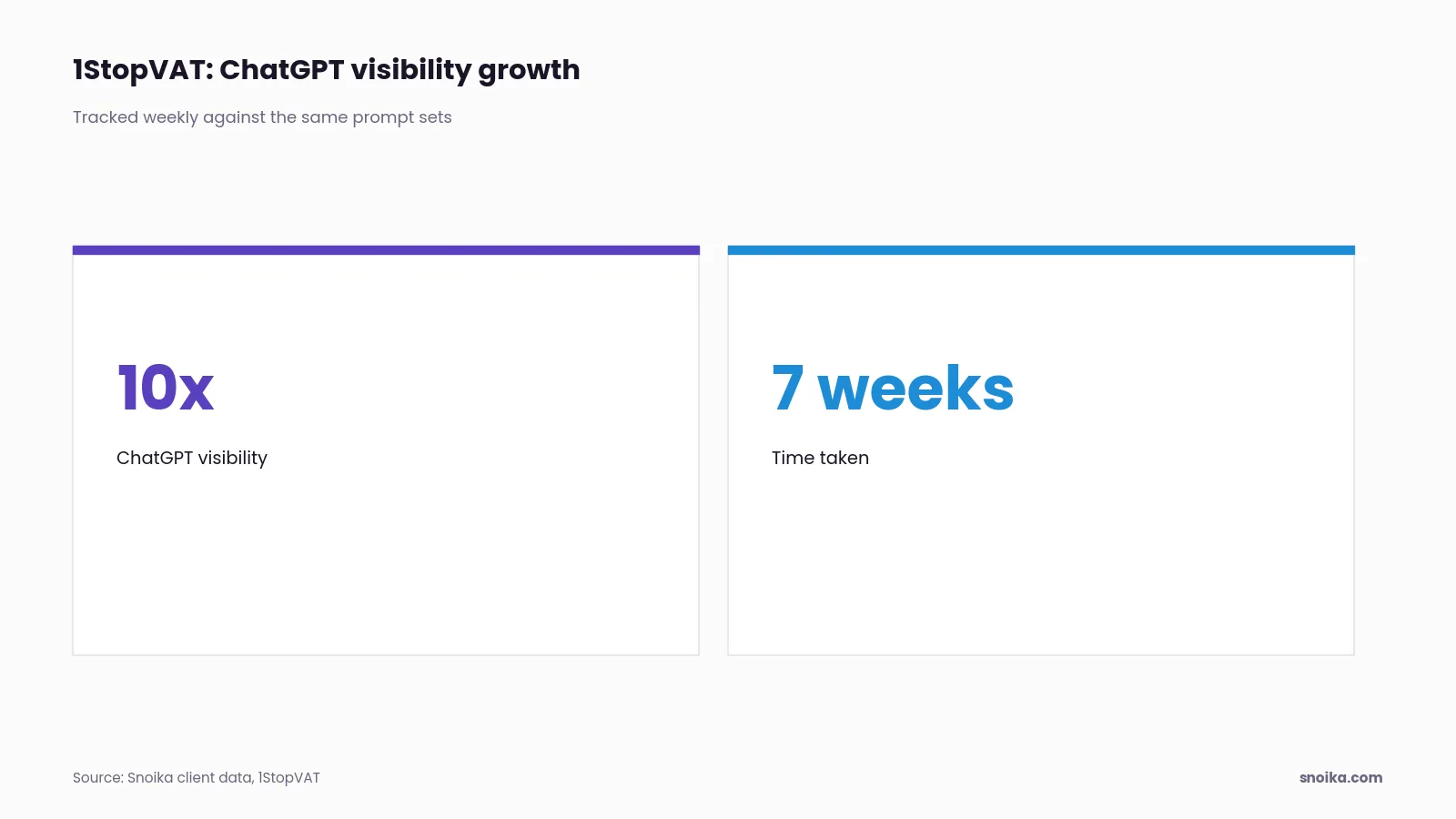
To make a WordPress blog visible in AI search, publish pages that answer buyer questions. Then measure how often assistants mention and cite you. Snoika uses weekly prompt sets to track mentions and share of voice in ChatGPT and Google AI Overviews, where most AI search traffic happens. It also tracks sentiment and citations. 1StopVAT, in tax and fintech, saw 10x growth in ChatGPT visibility in 7 weeks. For deeper reporting, the Snoika API and MCP server bring this data into Claude or ChatGPT. They also bring it into Cursor or your BI dashboards.
FAQ
Snoika routes a chosen path on your domain to pages we host, through your DNS or CDN. Those pages target buyer questions and carry built-in schema, and nothing changes inside WordPress.
You review, approve and schedule Snoika pages in our dashboard. The pages are hosted outside WordPress and served on your domain, so nobody needs a WordPress admin account.
Snoika publishes pages that answer your buyers' questions, with a short, direct answer near the top. We then track mentions, share of voice and citations in ChatGPT and Google AI Overviews with weekly prompt sets.
Yes. A CDN can serve Snoika pages under a path such as /blog on your existing domain, while every other request still reaches WordPress. We support Cloudflare, Fastly, Google Cloud, AWS CloudFront and Nginx.
Find out who controls your DNS and which CDN your site uses, because that decides who handles setup. We also agree the public path with you up front, since changing it later requires redirects.