
Cloudflare reverse proxy for Snoika pages
Snoika pages go live on your own domain through a Cloudflare reverse proxy. A small Worker sends one agreed path to the pages we host, and every other request still reaches your current website. You keep the domain, and the search value from those pages builds up on it. To connect, keep or move your DNS to Cloudflare and turn on the proxy. Then install our Worker on two routes.
- Fastly
- Google Cloud
- AWS
Trusted by

























Path routing via Cloudflare Worker
To serve our pages on your domain, a Cloudflare Worker catches requests for one path on your domain and answers them with pages Snoika hosts. We agree the public path with you before setup. Example paths are /blog and /resources. Visitors and crawlers see one site on one domain over HTTPS. Your existing site code and hosting stay exactly as they are.
Why Cloudflare is recommended
Cloudflare is the connection our clients choose most often, and our guide walks you through setup. Plenty of sites already run their DNS through Cloudflare, so for them the work is one Worker and two routes. The method doesn't care which CMS runs your main site, and nothing needs to migrate. If your DNS sits with another provider, moving it to Cloudflare is the only extra step, or you can use one of the other proxy options below.
How the Worker script works
The Worker is a short script that runs on Cloudflare's network, between the visitor and your server. When a request matches one of the two routes, Cloudflare runs the Worker. The Worker fetches the matching page from Snoika and returns it on your domain. Requests outside those routes go directly to your origin server the same way they always have.
The path name and the domain differ from client to client, so we give you the script with those values already filled in. Once it's live, open one URL inside the path and one outside it. The first shows a Snoika page and the second your usual site.
Setting up two Worker routes
You configure Worker routes for /blog traffic, or for whichever path we agreed, in the Cloudflare dashboard. It takes five steps:
Point DNS to Cloudflare
Keep your zone on Cloudflare, or move your nameservers there if it lives somewhere else.
Enable the proxy
Set the hostname's DNS record to proxied (the orange cloud). Workers only run on traffic that passes through Cloudflare.
Create the Worker
Add a new Worker and paste in the script from our guide.
Add both routes
Enter the two route patterns we provide and assign each one to the Worker.
Tell our team
We check the result before any page goes live.
What your team configures
Your team handles a small set of settings inside Cloudflare. Everything else stays with us.
Settings inside Cloudflare
Your team controls the DNS zone and the proxy status of the hostname. It also controls the Worker and its two routes. The values for the script and the routes come from us, so nobody has to write code or work out patterns. Don't change the route patterns after we've checked them. If a pattern is wrong, requests can end up at the wrong server.
Access we ask for
Once an engagement starts, we ask for access to Google Analytics 4 (GA4) and Google Search Console. We also ask for access to Google Tag Manager. That lets us tie AI visibility to the traffic you already measure. Your team installs the Worker through its own Cloudflare account.
Approval before publishing
Every page we create sits in the dashboard until you've reviewed and approved it. The page goes live on the path after your approval.
SEO value of one domain
Pages on a path of your main domain share the same host as your product pages. So their backlinks and internal links add to the domain you're already building, and their Search Console data adds to that same domain. Google has said the URL structure itself isn't a ranking factor. The real gain is that everything you publish builds up on one domain.
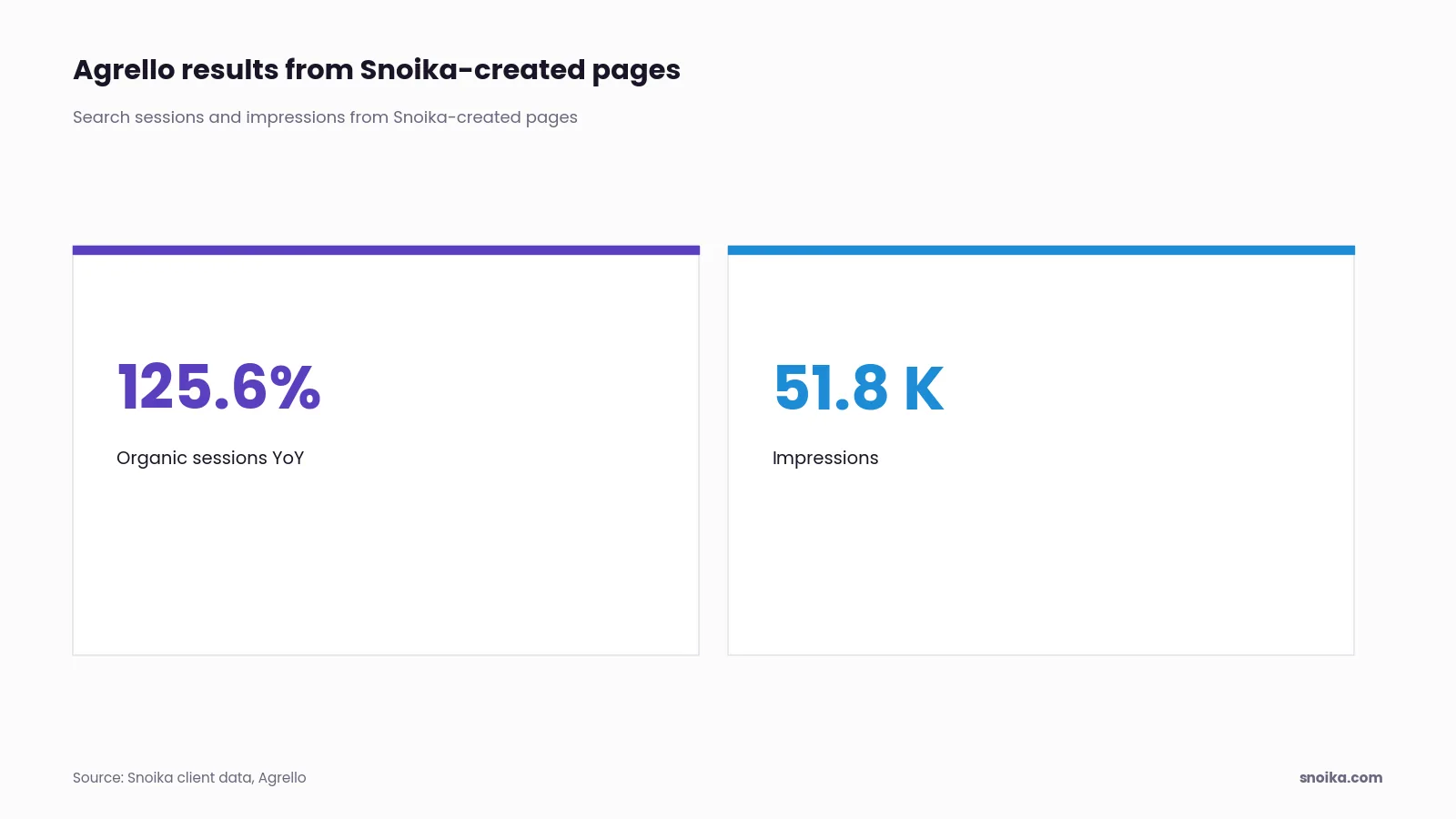
Agrello, in e-signature, recorded +125.6% organic search sessions YoY and generated 51.8K impressions from Snoika-created pages.
Cloudflare free tier limits
The free tier is enough for most sites, because the Worker runs only on the two routes. Requests to the rest of your site don't count. Cloudflare publishes these figures in its Workers limits documentation:
| Limit | Workers Free |
|---|---|
| Requests | 100,000 per day, reset at midnight UTC |
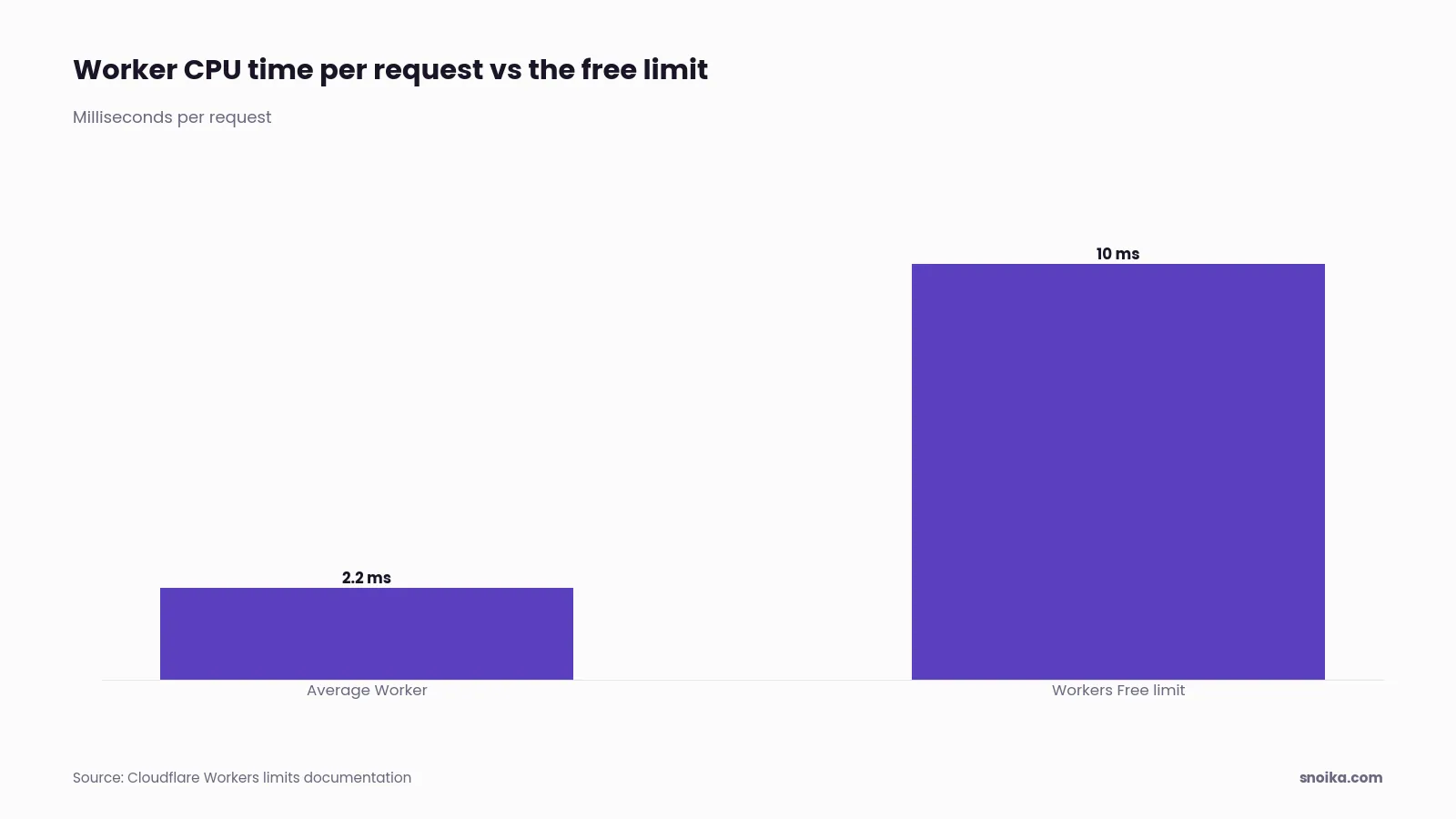
| CPU time | 10 ms per request |
| Workers per account | 100 |
| Over the daily cap | Cloudflare returns Error 1027 |
Cloudflare's documentation puts the average Worker at about 2.2 ms per request. A proxy that fetches a page and passes it back sits well under the 10 ms limit. If the proxied path gets close to 100,000 requests a day, move to Workers Paid, which has no daily cap.
Other supported proxy options
Snoika supports reverse-proxy connections with the setup you already have:
Fastly
Our team configures it, and you point DNS at Fastly.
Google Cloud
Google Cloud Load Balancer with Cloud CDN.
AWS
CloudFront with Lambda@Edge.
Nginx
A reverse proxy on your own server.
Other CDNs
We build tailored setups on request.
Pages can also go live through a CMS integration or a custom integration. You can schedule finished pages, or schedule generation with automatic publishing when a page type needs no review. We set up page templates that match your site. We also configure GA4 and Google Tag Manager events, so you can track the leads each page brings in.
FAQ
Set your domain’s DNS to Cloudflare, enable the hostname’s proxy, and install the supplied Worker script. Assign both supplied routes to it so only the agreed blog path serves hosted pages. Test a blog URL and a main-site URL, then have the setup checked before publishing.
Pages on a path of your own domain add their backlinks, internal links and Search Console data to the domain you already build. The URL structure itself isn't a ranking factor; the gain is that everything you publish builds up in one place.
In the Cloudflare dashboard, enter both supplied route patterns and assign each to the blog Worker. The hostname’s DNS record must be proxied for the Worker to run. Keep the checked patterns unchanged, since incorrect patterns can send requests to the wrong server.
No, a Cloudflare reverse proxy is one supported option. Snoika also connects through Fastly, Google Cloud, AWS CloudFront, Nginx or a tailored setup for another CDN, so you don't have to move your DNS.
Cloudflare returns Error 1027 after the Worker exceeds 100,000 requests per day on the free tier. The allowance resets at midnight UTC, and requests outside the Worker routes don't count. Move to Workers Paid as blog traffic approaches the limit to avoid the daily cap.